How to Safely Travel with Your Gaming PC (Without it breaking on the way)
Moving a PC can be very annoying and difficult sometimes, because some of the components are very delicate and are not made to withstand portholes, hard bumps or airport baggage handlers.
Whether your going on a road trip, flying across the country or just going to a LAN party, This is the best guide for you, for moving your pc safely.
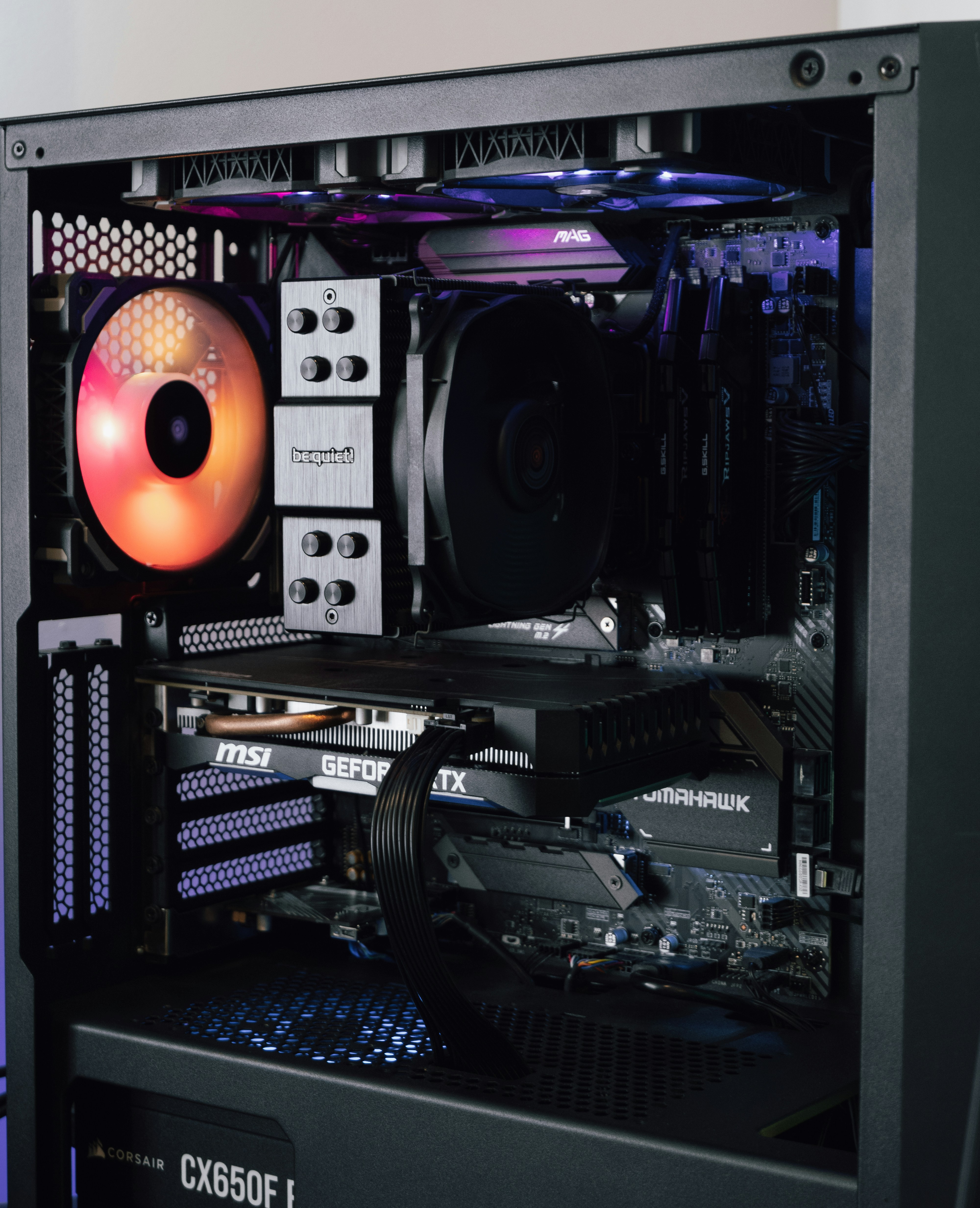
- The Graphics Card
- Unplug the power cables, unscrew the case, press the PCIe to release latch to pull out the graphics card, and store it in the box it came in, or anti-static bag.
- CPU Air Coolers
- If you have heavy air coolers, make sure to take it off for the trip, if your PC gets shaken during travel, the heavy heatsink can snap your motherboard.
How to travel by Car
- Make sure to lay your case flat, on its side where the motherboard is able to face down, do that the no components in the pc are hanging
- Make sure to position it in a way it can not move around, and it is stuck in one place, so that it does not slide around.
- Make sure to protect your monitors as well, put them back in their original box if you still have them, or place the monitors face down on a flat and put a calm surface like a pillow
How to Travel by Plane
When traveling by plane, baggage handlers are a lot of the time very rough with luggage
- GPU, RAM and Storage (SSDs/HDDs) make sure to have it in the bag, because there the most expensive and fragile parts, and the should be with you in anti-static bags.
- PC case, power supply pack the tower inside it's original box using the foam inside, this is checked luggage
- AIO Liquid Coolers Airport security may not allow liquid coolers in carry-ons due to liquid limits
Extra Tips
- Never use standard bubble wrap on electronics, it can generate static electricity, always put your components in a anti static bag first.
- Save the original box your PC case comes in, it is the safest way to transport your computer
- Consider expanding foam bags if you don't want to remove GPU or coolers, buy a expanding foam packing bag, it will take the shape of your components inside the case and hold everything in place